
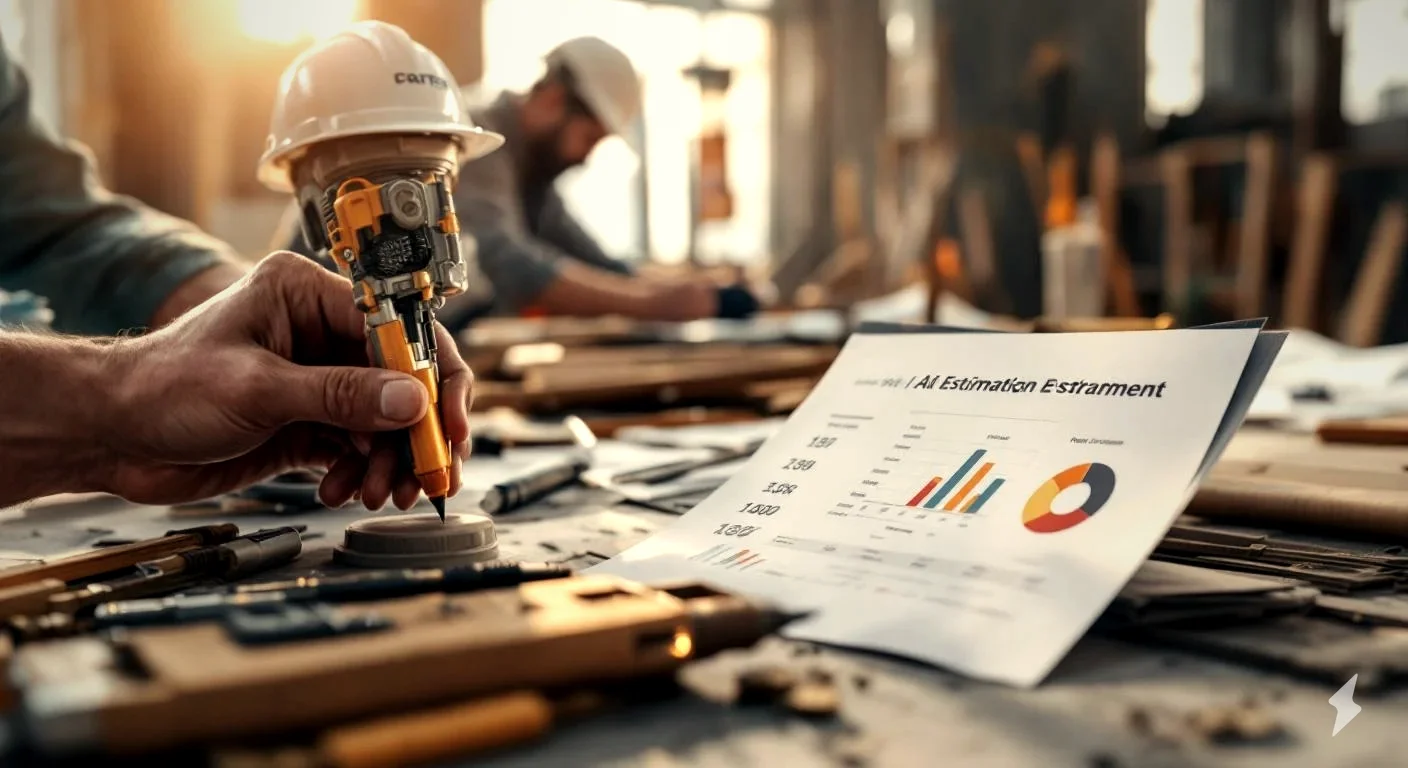
Know what keeps most small contractors from using estimating software? Price. They look at the $200/month plans built for GCs running 50-person crews and think, “That’s not for me.” I get it. When you’re a one-to-three-person operation, every dollar matters.
Good news. AI has changed the game for small contractors. Free and low-cost tools now exist that would have cost thousands just a few years ago. The trick is knowing which ones actually work for a small operation versus which ones are just demos dressed up as products.
Quick Answer
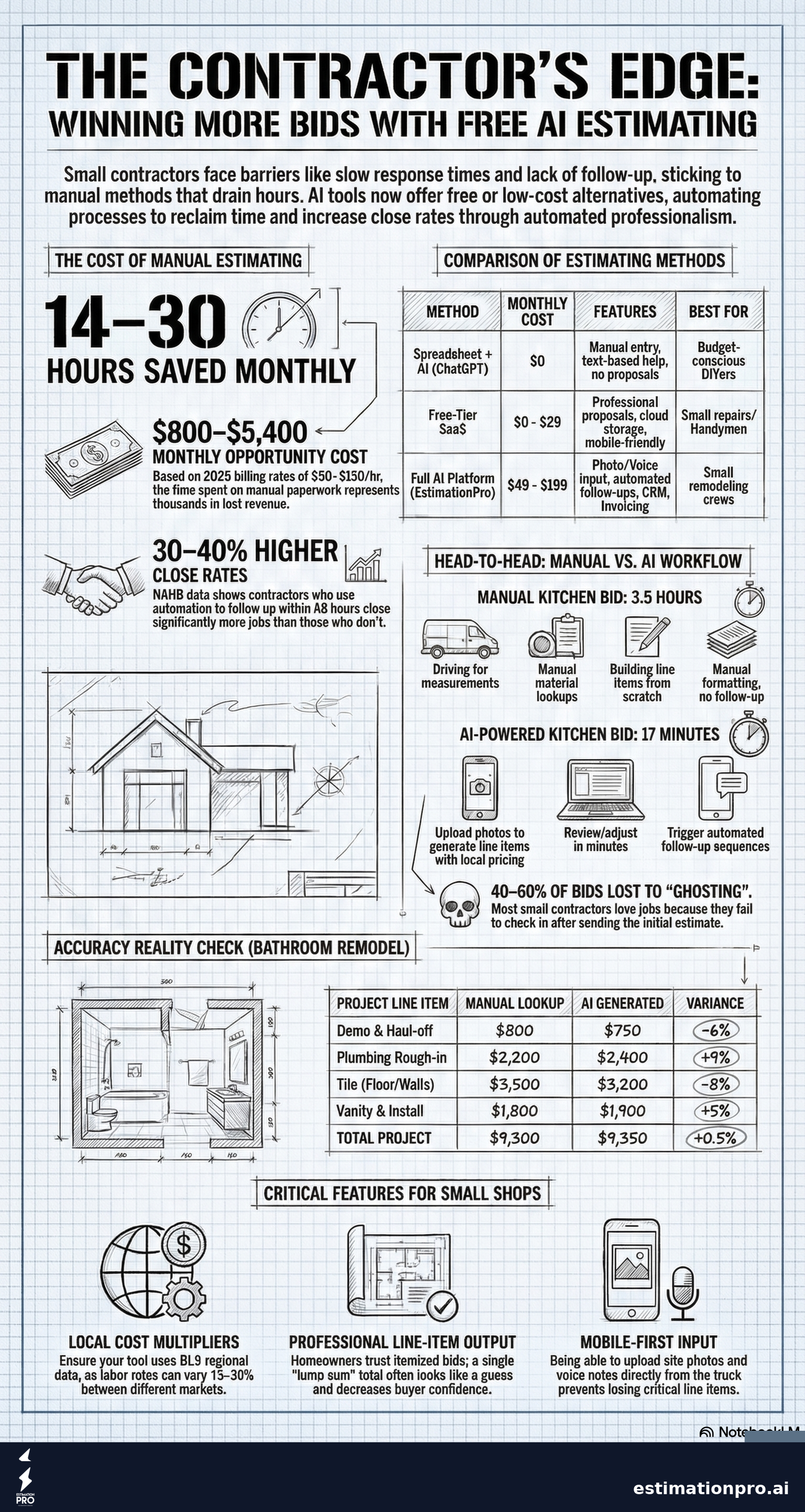
Free AI estimating tools let small contractors generate line-item bids in minutes instead of hours, without paying enterprise software prices. The best free options combine AI-powered takeoffs with professional proposal output. Look for tools that include follow-up automation, not just estimate generation, since most small contractors lose 40-60% of bids to ghosting, not to bad pricing.
Try EstimationPro free to see how AI estimating works for a small crew.
Why Small Contractors Need Different Software
Enterprise estimating platforms like ProEst, STACK, and Sage are built for commercial GCs with dedicated estimating departments. That’s a different world. A three-person bathroom remodeling crew doesn’t need Gantt charts and multi-bid package management. They need to get a bid out fast, look professional, and follow up without dropping the ball.
Here’s what I’ve seen kill the most bids for small shops:
- Slow response time. The contractor who quotes first usually wins. If your bid takes three days because you’re pricing everything from memory after work, you’re losing to the guy who sent his in two hours.
- Sloppy presentation. A handwritten estimate or a messy spreadsheet doesn’t build confidence. Homeowners compare your bid to a polished PDF from the other guy and guess who looks more legit.
- Zero follow-up. You send the bid, the homeowner goes quiet, and the job dies. No reminder email. No check-in. Nothing. According to NAHB survey data, contractors who follow up within 48 hours close 30-40% more jobs than those who don’t.
Small contractor software needs to handle all three, not just the math.
What “AI Estimating” Actually Means in 2026
AI estimating tools use machine learning to do things that used to require manual lookup:
- Line item generation - describe the project and the AI builds a material and labor breakdown
- Cost lookups - pulls current pricing from databases instead of you checking supplier sites
- Scope detection - catches items you might forget (like demo, haul-off, or permits)
- Regional adjustment - applies local cost multipliers based on your market using BLS regional data
Not all tools do all four. The free tiers usually handle #1 and #2. The paid versions add #3 and #4.
Real Options Compared
| Tool | Free Tier | AI Features | Proposals | Follow-Up | Best For |
|---|---|---|---|---|---|
| EstimationPro | First estimate free + 7-day trial | Photo/voice/text to estimate | Yes | Automated sequences | Small remodelers |
| Joist | Limited | Basic templates | Yes | Manual | Handyman/small repair |
| Jobber | Trial only | None built-in | Yes | Manual email | Service contractors |
| ChatGPT + Sheets | Free | Text-based only | DIY | None | Budget-conscious |
| Buildertrend | Trial only | Limited | Yes | Manual | New construction |
Share This Infographic
Feel free to share this infographic on your website. Just copy the embed code below:
Copy this embed code:
<a href="https://estimationpro.ai/tools/blog/free-ai-estimating-tools-small-contractors" target="_blank" rel="noopener">
  <img src="https://estimationpro.ai/tools/blog/infographics/free-ai-estimating-tools-small-contractors-infographic.png" alt="free ai estimating tools for small contractors infographic by EstimationPro.AI" style="max-width:100%;height:auto" loading="lazy" />
</a>
<p style="font-size:12px;color:#64748B;margin-top:8px">Source: <a href="https://estimationpro.ai/tools/blog/free-ai-estimating-tools-small-contractors">EstimationPro.AI</a></p>
The honest truth: most “free” estimating tools are 14-day trials. The ones with actual free tiers that stick around long-term are rare. I’ve watched dozens of contractors try the trial route and end up back on spreadsheets when the credit card charge hits.
How Each Approach Actually Works
Method 1: ChatGPT or Claude + Your Own Spreadsheet ($0)
This is the DIY approach. You describe a project to an AI chatbot and ask it to list materials and labor. Then you copy the output into your spreadsheet and adjust the numbers.
What works: It’s genuinely free. The AI is surprisingly good at generating line items you might forget.
What doesn’t: No proposal output. No follow-up. No saved templates. You’re still spending 30-45 minutes formatting the bid by hand. And the pricing data is often outdated or too generic for your local market.
I’ve tried this myself on a bathroom remodel estimate. The AI nailed the scope but priced everything at national averages. My PNW labor rates are 15-20% higher than national, which would have cost me money on the job.
Method 2: Free-Tier SaaS Platforms ($0 - $29/mo)
These give you a real estimating interface with some AI built in. You get cloud storage, a mobile app, and usually some kind of proposal template.
What works: Professional output. Saved line items. Faster than spreadsheets by a mile.
What doesn’t: Free tiers are limited. Usually 3-5 estimates per month, or they watermark your proposals. The AI features are often locked behind the paid tier.
Method 3: Full AI Platform (From Free)
EstimationPro and similar full-stack platforms handle the entire workflow: estimate, proposal, follow-up, invoice, payment. The AI does the heavy lifting on estimate creation, and the automation handles everything after you hit send.
What works: You can go from job photos to a sent proposal in under 10 minutes. The automated follow-up alone is worth the switch since that’s where most small contractors leak revenue.
What doesn’t: Learning curve in the first week. You need to customize your default line items and pricing to match your market.
What Free AI Tools Actually Save You
Let me put real numbers on this. Say you’re a small remodeling contractor bidding 8-12 jobs per month.
Manual estimating (spreadsheet or pen-and-paper):
- Average time per estimate: 2-3 hours
- Monthly time: 16-36 hours
- At a general contractor billing rate of $50-$150/hour (source: HomeGuide 2026), that’s $800-$5,400 in opportunity cost per month
AI-assisted estimating:
- Average time per estimate: 15-30 minutes
- Monthly time: 2-6 hours
- Monthly savings: 14-30 hours
That’s 14-30 hours back every month. For a one-person shop, that’s two to four extra days you could spend on the tools, on marketing, or with your family.
Worked Example: Kitchen Remodel Bid
A homeowner sends you photos of their 1990s kitchen and says they want a full gut remodel. Standard 10x12 layout, new cabinets, countertops, appliances stay.
Without AI (manual):
- Drive to the house for measurements - 1 hour
- Look up material costs at supplier websites - 45 minutes
- Build the line-item breakdown from scratch - 1 hour
- Format into a presentable bid - 30 minutes
- Email it with no template - 5 minutes
- Total: ~3.5 hours, no follow-up
With AI estimating tool:
- Upload photos and notes from the site visit - 2 minutes
- AI generates line-item breakdown with local pricing - 3 minutes
- Review, adjust, and customize - 10 minutes
- Send professional proposal from the app - 2 minutes
- Automated follow-up starts at day 2, day 5, and day 10
- Total: ~17 minutes, follow-up runs itself
That’s the difference.
Five Mistakes Small Contractors Make Choosing Software
1. Picking the cheapest option instead of the right one. Free is great if the tool does what you need. But a free tool that only generates estimates and can’t send proposals just moves the bottleneck from pricing to formatting. You saved 30 minutes on the math and lost it on the PDF.
2. Ignoring follow-up automation. This is the one I push hardest. Most contractors I’ve talked to lose more jobs from no follow-up than from bad pricing. The estimate was fine. The homeowner just never heard from you again and went with someone who checked in.
3. Choosing enterprise tools because they look impressive. A 150-feature platform you’ll use 8% of is worse than a simple tool you’ll actually open every day. Small operations need fast and simple, not a project management suite.
4. Not customizing the default pricing. Every AI tool ships with generic pricing. If you don’t update it with your actual labor rates and local material costs, your bids will be off by 10-25%. Carpenter wages alone range from $20-$45/hour depending on market (BLS Occupational Employment data, May 2024). That spread matters. Use a Contractor Markup Calculator to make sure your margins are right before loading them into any platform.
5. Skipping the mobile experience. If you can’t start an estimate from the job site on your phone, you’re going to forget details by the time you get back to your desk. I’ve lost line items this way more times than I want to admit.
What to Look for in a Free AI Estimating Tool
Not all free tools are created equal. Here’s my checklist:
- Line-item output, not just a lump sum. Homeowners trust itemized bids. A single number with no breakdown looks like you guessed.
- Local pricing data. National averages don’t help. BLS regional multipliers vary 15-30% between markets.
- Proposal generation. The estimate is only half the job. You need a clean, branded document to send.
- Follow-up automation. Even a basic email sequence at day 3 and day 7 beats doing nothing.
- Photo or voice input. Small contractors work from the truck, not from a desk. Mobile-first matters.
- Template library. If you do the same type of work regularly (bathrooms, kitchens, decks), saved templates cut repeat work to almost nothing.
Use our Construction Cost Estimator to get quick project numbers before you commit to any platform.
How AI Pricing Compares to Manual Lookup
I ran a side-by-side test on a standard bathroom remodel: 5x8, tub-to-shower conversion, new vanity, tile floor and walls.
| Line Item | Manual Lookup | AI Generated | Difference |
|---|---|---|---|
| Demo and haul-off | $800 | $750 | -6% |
| Plumbing rough-in | $2,200 | $2,400 | +9% |
| Tile (floor + walls) | $3,500 | $3,200 | -8% |
| Vanity + install | $1,800 | $1,900 | +5% |
| Fixtures | $600 | $650 | +8% |
| Paint and trim | $400 | $450 | +12% |
| Total | $9,300 | $9,350 | +0.5% |
Within 1% of each other. The AI was actually more conservative on demo (which I would have adjusted up based on the house age) and slightly high on plumbing (regional variation). The point is: AI gets you to 90-95% accuracy on the first pass. You fine-tune the last 5% with your local knowledge.
Pricing based on PNW market rates, 2026. Your market will vary. Always validate AI-generated estimates against your local costs before sending.
Frequently Asked Questions
Are free AI estimating tools accurate enough for real bids?
Free AI tools get you 85-95% of the way there on pricing accuracy. They’re excellent for generating the scope and line items, but you always need to adjust for your specific labor rates and local material costs. Think of AI as a first draft, not a finished bid.
Can I use AI estimating on my phone from the job site?
Yes. Most modern AI estimating platforms are mobile-friendly or have dedicated apps. EstimationPro lets you upload job photos directly from your phone and generates an estimate in minutes. Check out the Contractor Estimate Template for a starting framework.
Will AI estimating replace manual takeoffs?
Not completely. AI handles standard residential work well, but unusual projects, historic renovations, or complex commercial jobs still benefit from manual takeoffs. For small contractors doing bread-and-butter remodels, AI handles 80% of your estimates without a manual takeoff.
What’s the catch with free tiers?
Most free tiers limit you to 3-10 estimates per month, restrict proposal branding, or lock follow-up features behind paid plans. Read the limits before you commit. The best free options let you actually use the core features without artificial caps.
Do I still need to visit the job site if I use AI?
Absolutely. AI estimates from photos are a starting point, not a replacement for seeing the space in person. You still need to check for hidden conditions, like rot behind walls or outdated wiring, that photos can’t show. I’ve been burned too many times by what’s behind the drywall to trust anything sight-unseen.
Stop Losing Jobs to Slow Bids
The math is simple. If you’re spending 2-3 hours per estimate and losing half your bids to faster competitors or ghosting homeowners, you’re leaving money on the table every single week.
Free AI estimating tools close that gap. Start with a free tier, customize your pricing, and build the habit of sending bids the same day. The contractors winning the most work right now aren’t the cheapest bidders. They’re the fastest responders with the cleanest proposals and the most consistent follow-up.
Try EstimationPro free - it builds the estimate, sends a professional proposal, and follows up automatically so you win more of the bids you already send. Estimate, proposal, follow-up, invoice, paid. That’s the whole workflow in one tool, and you can start without a credit card.
Free AI Estimating Tools Compared
- ChatGPT or Claude for line item help
- Manual data entry
- No proposal generation
- No follow-up automation
- High learning curve
- AI-powered line item generation
- Professional proposals
- Basic follow-up sequences
- Cloud storage for estimates
- Mobile-friendly
- Photo and voice input
- Automated follow-up drip campaigns
- Invoicing and payments
- CRM and pipeline tracking
- Custom branding
Get Free Estimating Tips
Enter your email and we'll send you pro tips, cost data, and useful resources for contractors.
We'll send helpful resources and occasional tips. Unsubscribe anytime.
 EstimationPro AI For Contractors, By Contractors
 Create Detailed Estimates in Minutes, Not Hours
Upload photos, record voice notes, and get AI-powered estimates with line items, material lists, and regional pricing.