
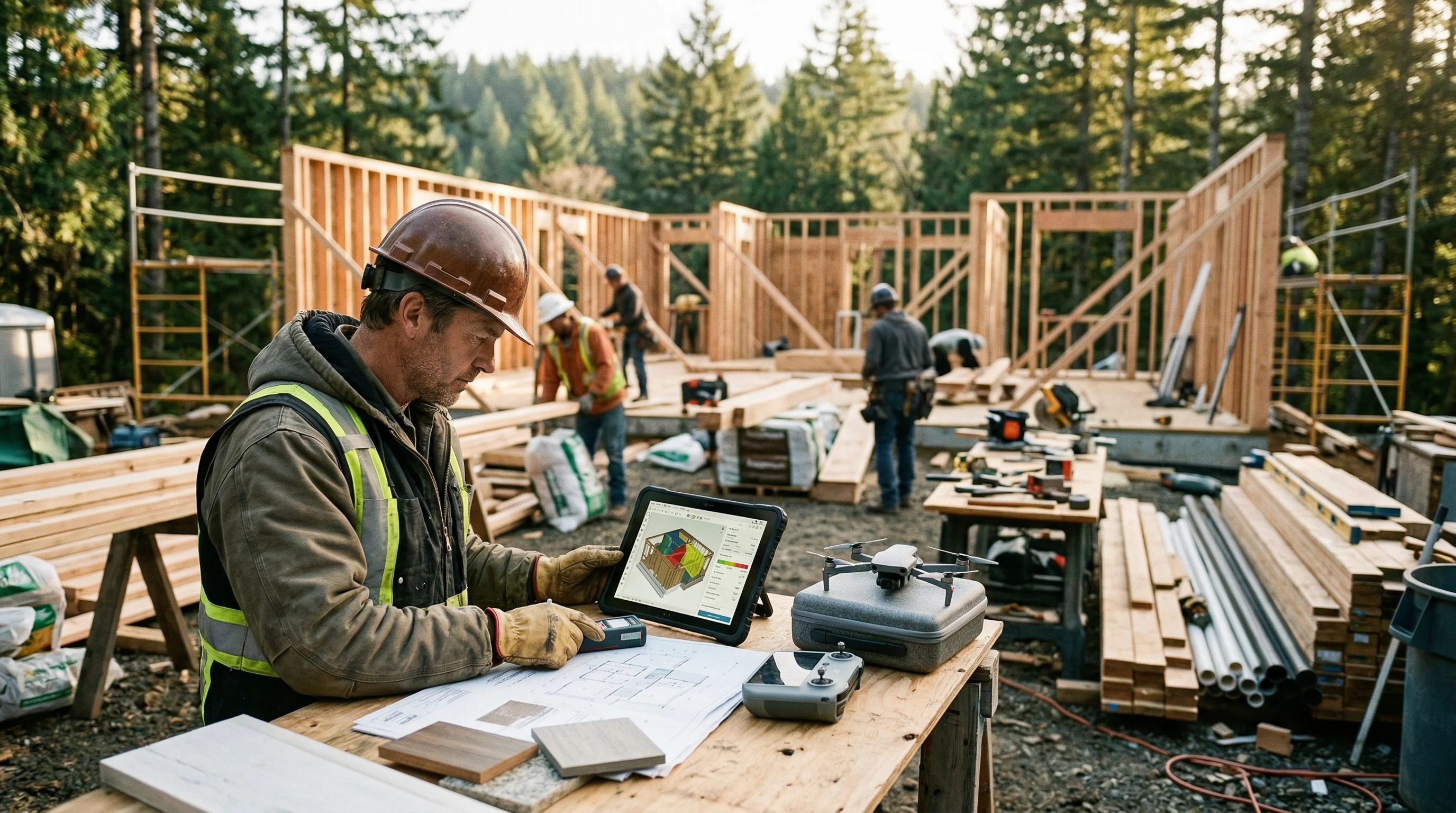
I used to spend three hours on a single kitchen remodel estimate. Measuring, pricing materials, looking up labor rates, double-checking my math, formatting the whole thing into something I wasn’t embarrassed to hand a homeowner. Three hours, and half the time the customer ghosted me anyway.
That was before I started using AI to build estimates. Now? Same kitchen bid takes me about 20 minutes. And the accuracy is actually better because the software catches line items I used to miss when I was tired or rushing between jobs.
Here’s exactly how I use AI for construction estimates, step by step, so you can do the same thing without the learning curve I went through.
Quick Answer
AI estimating tools let contractors upload photos, notes, or project details and get a detailed line-item estimate in minutes instead of hours. You still review and adjust every number, but the AI handles the heavy lifting of quantity takeoffs, material pricing, and labor calculations. The best tools also generate professional proposals and automate follow-up so you actually close more bids.
Try EstimationPro free to see how AI estimating works for your next project.
What AI Estimating Actually Does (and What It Doesn’t)
Let me clear something up first. AI estimating doesn’t replace your knowledge. It replaces your spreadsheet.
The AI handles:
- Quantity takeoffs from photos, measurements, or project descriptions
- Material calculations with current regional pricing
- Labor hour estimates based on project scope and trade type
- Line-item formatting into professional bid documents
- Waste factor calculations so you’re not short on materials
What the AI does NOT do:
- Walk the jobsite for you
- Account for hidden conditions behind walls
- Negotiate with suppliers for better pricing
- Replace 20 years of field experience
Think of it this way. A tape measure doesn’t build the cabinet. But a carpenter without a tape measure is just guessing. AI estimating is a better measuring tool for your pricing.
Step 1: Gather Your Project Information
Before you open any AI tool, you need the basics. This part hasn’t changed.
What to collect:
- Photos of the space - multiple angles, close-ups of anything unusual (water damage, outdated electrical, weird framing)
- Measurements - room dimensions, ceiling height, window and door locations
- Scope notes - what the customer wants done, what they’ve mentioned they don’t want
- Material preferences - if the homeowner has picked specific finishes, cabinets, or fixtures
- Site conditions - age of the house, known issues, access challenges
I keep a simple checklist on my phone. Takes five minutes during the initial walkthrough. That five minutes of prep saves me from going back to re-measure because I missed something.
What good input looks like:
| Input Type | Bad Example | Good Example |
|---|---|---|
| Room dimensions | ”It’s a big kitchen" | "14’ x 18’, 9’ ceilings, one load-bearing wall on the north side” |
| Scope | ”Remodel the bathroom" | "Gut to studs, new tile shower (36x48), move toilet 2ft east, new vanity 48-inch” |
| Photos | One photo from the doorway | 8-10 photos covering all walls, ceiling, under-sink, electrical panel |
| Budget | ”Keep it reasonable" | "Budget is $25K-35K, flexible on countertops but firm on timeline” |
The AI is only as good as what you feed it. Garbage in, garbage out. Same as any estimating method.
Step 2: Upload to Your AI Estimating Tool
This is where the time savings kick in. Instead of manually building a spreadsheet line by line, you feed the AI your project details and let it generate the first draft.
Most AI estimating platforms work like this:
- Create a new project and name it (customer name + address works)
- Upload your photos - the AI analyzes room size, fixtures, finishes, and condition
- Add your measurements and notes - some tools let you dictate voice notes right from the jobsite
- Select the project type - kitchen remodel, bathroom gut, deck build, whatever matches
- Hit generate
The AI crunches everything and spits out a line-item estimate, usually in under two minutes. Compare that to the hour-plus you’d spend doing it manually.
Here’s the thing that surprised me. The AI catches stuff I miss. On a bathroom remodel last month, it added a line item for blocking behind the shower walls for grab bar installation. I would have forgotten that. Small line item, but it’s the kind of detail that separates a complete bid from one that gets change-ordered later.
Step 3: Review Every Line Item
This is the step most contractors are nervous about, and it’s also the most important.
Never send an AI-generated estimate without reviewing it. Period. The AI gives you a solid first draft, but you need to adjust for reality.
What to check:
- Labor rates - Does the hourly rate match your market? A carpenter in Seattle bills differently than one in rural Alabama. According to BLS Occupational Employment Statistics, carpenter wages range from $20 to $45 per hour depending on region, with a national median around $28.80/hr.
- Material pricing - Are the material costs current? Lumber and copper prices swing more than people realize. Verify against your supplier quotes.
- Quantities - Did the AI measure correctly? Spot-check the square footage, linear footage, or unit counts against your field notes.
- Waste factors - Most AI tools add 10-15% for waste. That’s reasonable for drywall and framing, but tile might need 15-20% depending on the pattern.
- Missing scope - Does the estimate cover everything the customer asked for? Did it include demo, haul-off, permits, and final cleanup?
- Your markup - Make sure overhead and profit are dialed in. Industry standard runs 15-35% for overhead and profit combined (RSMeans benchmarks). Your number depends on your overhead structure.
I spend about 10-15 minutes reviewing and adjusting. That’s the whole point - you’re reviewing a draft, not building from scratch.
Step 4: Customize for the Specific Job
Every job is different. The AI gives you a template. You make it yours.
Common adjustments I make:
- Age of the house matters. Pre-1990 homes? I bump demo labor by 20-30%. Old houses fight back. I’ve opened up walls in homes from the ’60s and found galvanized plumbing, knob-and-tube wiring, and asbestos tiles all in the same room.
- Customer personality. A detail-oriented engineer type wants more line items, more specifics. A busy professional wants a simple bottom line with a few options. Adjust the detail level.
- Access issues. Third-floor bathroom in a Victorian with narrow stairs? That changes labor rates. A job that takes 20% longer because you’re hauling materials up three flights of stairs needs 20% more labor.
- Seasonal pricing. Material costs shift. Update the AI’s numbers with your most recent supplier quotes if they’re more than 30 days old.
Step 5: Generate the Proposal
Here’s where AI tools really separate from manual methods. A raw estimate is just numbers. A proposal is what wins the job.
The best AI estimating platforms turn your estimate into a branded, professional proposal automatically. That means:
- Company logo and contact info
- Scope of work in plain language the homeowner understands
- Line-item pricing (or tiered options like Good/Better/Best)
- Terms, timeline, and payment schedule
- Digital signature acceptance
I’ve been in this trade for over 20 years and I can tell you - presentation matters more than most contractors think. Two identical bids, same price, same scope. The one that looks professional wins. Every time. Homeowners trust a clean proposal over a handwritten number on a sticky note.
You can build a construction estimate template manually, or let the AI handle the formatting so you can focus on the work. If you’re bidding kitchens, our kitchen remodel cost calculator shows how AI-powered calculations work for that trade.
Step 6: Send and Follow Up
This is the step where most contractors lose money. You send the estimate… and then nothing. You wait. The customer goes quiet. A week later you wonder if they went with someone else.
The data is brutal: contractors lose an estimated 40-60% of bids to ghosting. According to Robert Dietz, Chief Economist at the National Association of Home Builders, slow response times and lack of follow-up are among the top reasons homeowners choose a different contractor. Not because the price was wrong. Because nobody followed up.
AI tools with built-in follow-up sequences handle this automatically. The system sends a check-in at day 1, a reminder at day 3, another at day 7. Professional, not pushy. And it works while you’re on the jobsite swinging a hammer instead of sitting at your desk writing emails.
This is honestly the feature that changed my business more than the estimating itself. I was leaving money on the table every single week because I was too busy working to follow up on bids I’d already sent.

Share This Infographic
Feel free to share this infographic on your website. Just copy the embed code below:
Copy this embed code:
<a href="https://estimationpro.ai/tools/blog/how-to-use-ai-for-construction-estimates" target="_blank" rel="noopener">
  <img src="https://estimationpro.ai/tools/blog/infographics/how-to-use-ai-for-construction-estimates-infographic.png" alt="how to use ai for construction estimates infographic by EstimationPro.AI" style="max-width:100%;height:auto" loading="lazy" />
</a>
<p style="font-size:12px;color:#64748B;margin-top:8px">Source: <a href="https://estimationpro.ai/tools/blog/how-to-use-ai-for-construction-estimates">EstimationPro.AI</a></p>
Real-World Time Comparison
Here’s what the numbers actually look like for a mid-range bathroom remodel estimate:
| Task | Manual Method | AI-Assisted |
|---|---|---|
| Jobsite visit + photos | 30 min | 30 min |
| Quantity takeoff | 45 min | 2 min |
| Material pricing lookup | 30 min | Automatic |
| Labor calculations | 20 min | Automatic |
| Building the estimate | 45 min | 2 min |
| Formatting the proposal | 30 min | Automatic |
| Review and adjust | N/A | 15 min |
| Total | ~3.5 hours | ~50 minutes |
That’s roughly 2.5 hours saved per estimate. If you bid five jobs a week, that’s 12+ hours back. That’s time with your family, or time bidding more work to grow your business.
Based on typical general contractor billing rates of $50-$150/hr (HomeGuide 2026), those saved hours have real dollar value, anywhere from $125 to $375 per estimate in recovered time.
Common Mistakes When Starting with AI Estimating
I made most of these when I first started. Save yourself the trouble.
-
Sending the estimate without reviewing it. I said it already, but it bears repeating. The AI is a tool, not a replacement for your brain. Check the numbers.
-
Not customizing for local conditions. AI tools use national averages as a starting point. Your market is not the national average. Adjust labor rates, material costs, and lead times for your area.
-
Skipping the photos. The more visual data you give the AI, the better the output. I’ve seen contractors type “bathroom remodel” and expect magic. Give it real project photos.
-
Forgetting contingency. Most AI tools don’t automatically add contingency for hidden conditions. I add 10-15% on remodels, sometimes 20% on older homes. Because I’ve been burned by what’s behind those walls.
-
Over-trusting the waste factors. Standard 10% waste works for straightforward framing. But diagonal tile layout? Complex rooflines? Custom trim work? Bump it up manually.
-
Not updating your pricing regularly. AI tools pull from databases that may lag behind your local market. Check material costs against your actual supplier quotes at least monthly.
What to Look for in an AI Estimating Tool
Not all AI estimating tools are built the same. Here’s what matters for residential contractors:
- Photo input support - Can you upload jobsite photos and get estimates from them?
- Trade-specific templates - Kitchen, bath, roofing, siding, flooring - not just generic construction
- Regional pricing - Does it adjust for your local market, or just use national averages?
- Proposal generation - Can it turn the estimate into a professional proposal automatically?
- Follow-up automation - Does it chase your leads for you, or do you still have to remember to email?
- Mobile-friendly - Can you use it from the truck or the jobsite?
- Line-item editing - Can you easily adjust quantities, pricing, and scope after the AI generates the draft?
The construction cost estimator on our tools page gives you a feel for how AI-powered calculations work if you want to test the basics first.
FAQ
Is AI estimating accurate enough for real bids?
Yes, with review. AI-generated estimates are typically within 5-10% of a manually-built estimate for standard residential work. The contractor reviews and adjusts every number before sending, so the final bid reflects your actual costs and market rates.
Do I need to be tech-savvy to use AI estimating tools?
No. If you can take a photo with your phone and type a few notes, you can use AI estimating. The whole point is simplicity. Most contractors are up and running in under 30 minutes.
Will AI replace estimators?
Not likely. AI replaces the tedious math and formatting work. It does not replace field knowledge, customer relationships, or jobsite experience. Contractors who use AI estimate faster and bid more accurately, but the human judgment stays essential.
How much does AI estimating software cost?
Most platforms run $30-$200/month depending on features. At even $100/month, if you save 10+ hours of estimating time, the ROI is obvious. One extra bid won per month pays for the tool several times over.
Can I use AI estimating for commercial work?
It depends on the tool. Most AI estimating platforms are built for residential and light commercial. Complex commercial projects with union rates, prevailing wages, and multi-phase scheduling may need specialized tools. For residential remodels, repairs, and light construction - AI estimating handles it well.
Pricing varies by region, material availability, and market conditions. Always verify costs against local supplier quotes before finalizing a bid.
The contractor who quotes fastest usually wins the job. That’s not an opinion - it’s what I’ve seen play out over 20 years of bidding work. AI doesn’t replace your experience. It lets you put that experience to work faster, with fewer missed line items and more professional output.
EstimationPro doesn’t just build the estimate - it sends the proposal automatically and follows up with the homeowner so you win more of the bids you already send. From estimate to proposal to follow-up to invoice, the whole workflow runs while you’re on the jobsite. Try EstimationPro free and see how many hours you get back this week.
Pricing a job like this?
Get every line item priced for your area in a full estimate
Describe the job or snap a few photos. Send it from EstimationPro and it follows up with your client for you.
3 free estimates in the first 7 days. No credit card.
Get Free Estimating Tips
Enter your email and we'll send you pro tips, cost data, and useful resources for contractors.
We'll send helpful resources and occasional tips. Unsubscribe anytime.
 EstimationPro AI For Contractors, By Contractors
 Save 2+ Hours on Every Estimate
Upload photos, record voice notes, and get AI-powered estimates with line items, material lists, and regional pricing.