
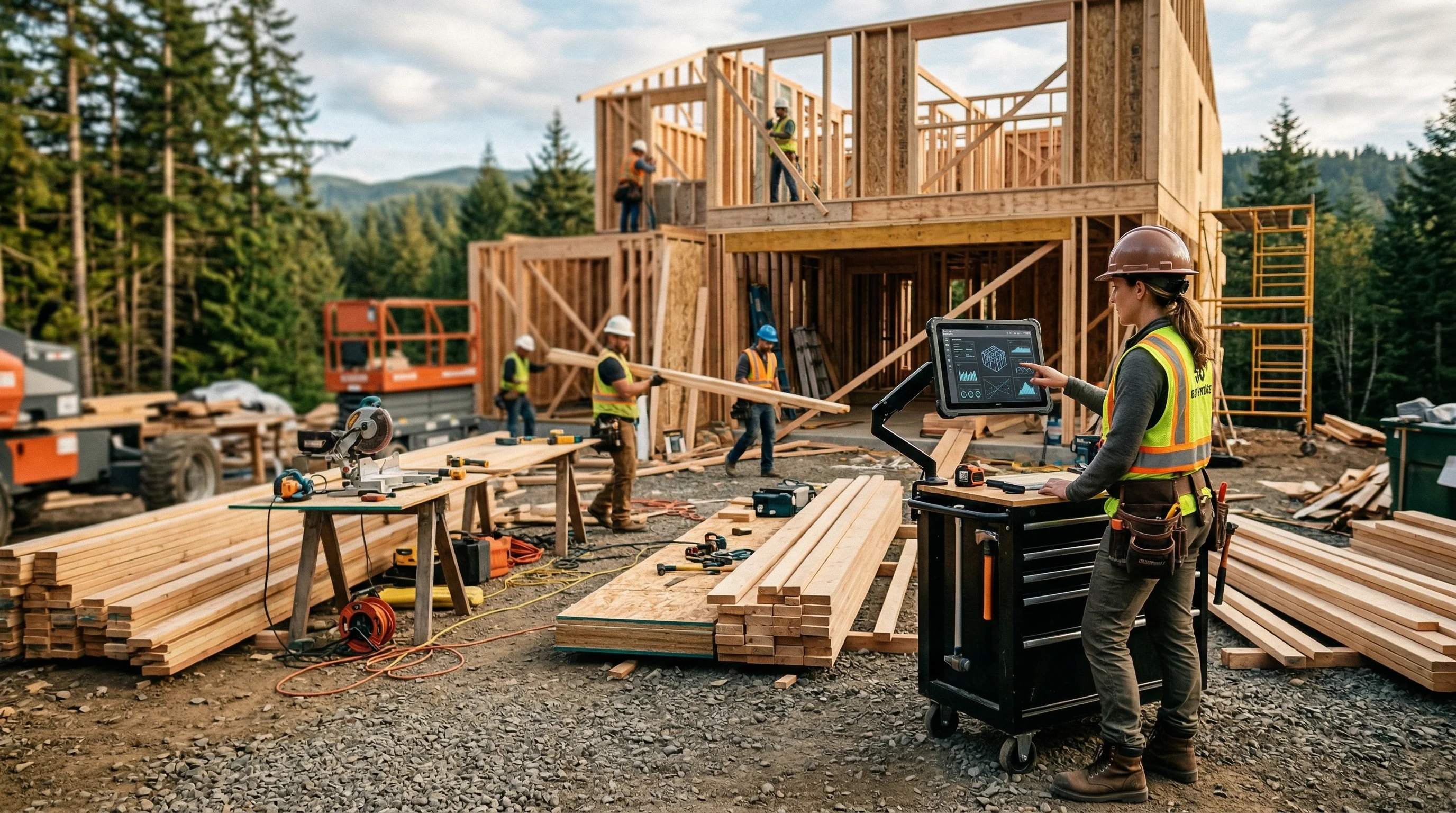
Three hours. That’s what a single kitchen remodel estimate used to cost me. Measuring, researching material prices, calculating labor, formatting the quote into something a homeowner wouldn’t throw in the trash. Multiply that by 8-10 estimates per month and you’re looking at a full work week just writing bids.
I’ve been in the trades for over 20 years and building software for the last few. AI estimating software is the biggest shift I’ve seen in how contractors price work since we moved from paper takeoffs to spreadsheets. But most contractors I talk to either don’t know it exists, don’t trust it, or picked the wrong tool and gave up.
This post covers what AI estimating software actually does, what it doesn’t do, and how to pick the right one for your trade.
Quick Answer
AI estimating software for contractors uses artificial intelligence to generate cost estimates from inputs like photos, voice notes, measurements, and job descriptions. The best tools produce line-item estimates with material quantities, labor hours, and regional pricing in minutes instead of hours. Most contractors see a 60-80% reduction in estimating time, which translates to more bids sent and more jobs won.
Try EstimationPro free to see how AI estimating works on your next job.
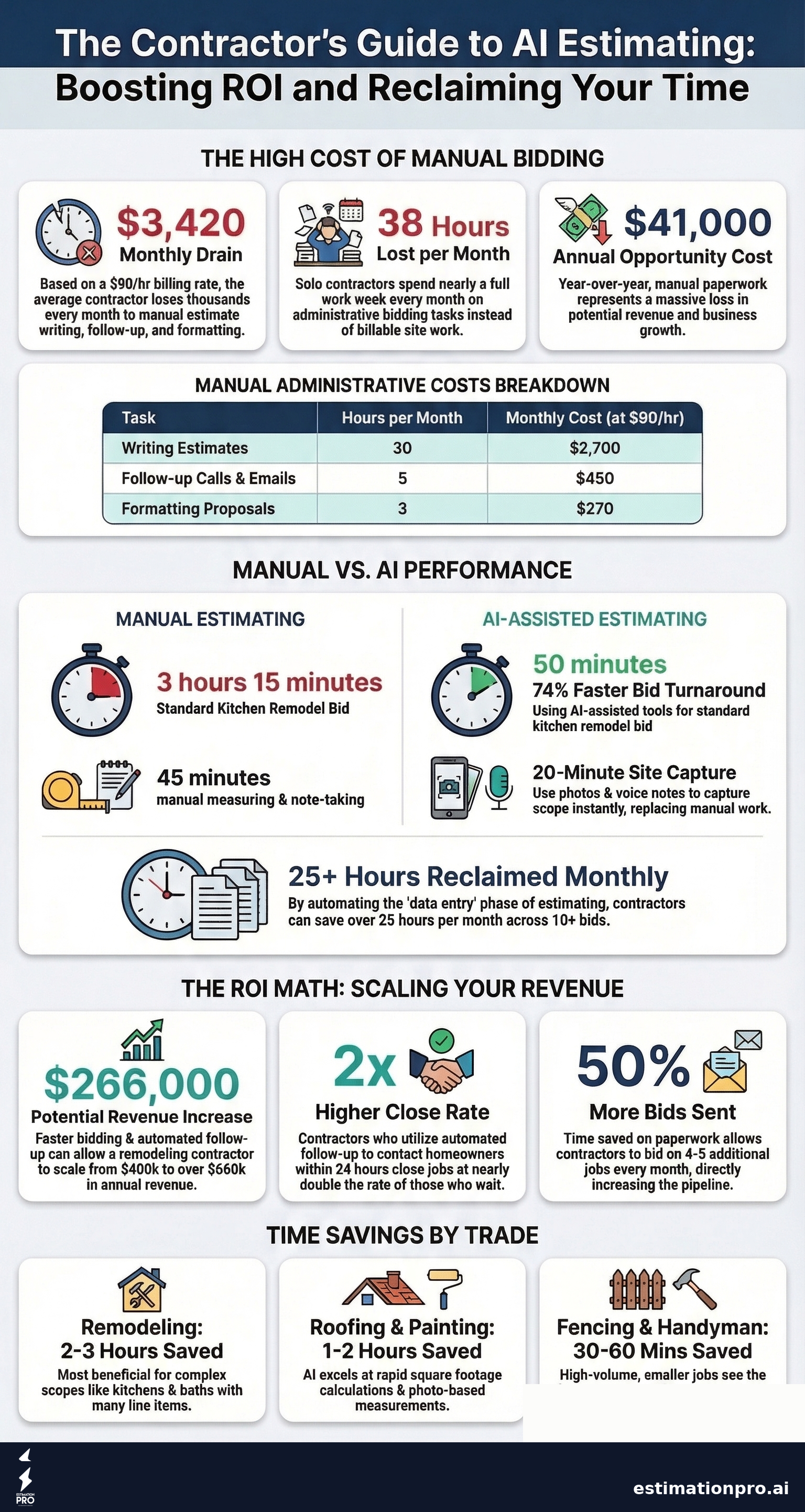
Share This Infographic
Feel free to share this infographic on your website. Just copy the embed code below:
Copy this embed code:
<a href="https://estimationpro.ai/tools/blog/ai-estimating-software-for-contractors" target="_blank" rel="noopener">
  <img src="https://estimationpro.ai/tools/blog/infographics/ai-estimating-software-for-contractors-infographic.png" alt="AI Estimating Software for Contractors: What to Know infographic by EstimationPro.AI" style="max-width:100%;height:auto" loading="lazy" />
</a>
<p style="font-size:12px;color:#64748B;margin-top:8px">Source: <a href="https://estimationpro.ai/tools/blog/ai-estimating-software-for-contractors">EstimationPro.AI</a></p>
How AI Estimating Software Actually Works
Forget the marketing hype. Here’s what happens behind the scenes when you use a quality AI estimating tool:
- You feed it job data. Photos of the space, voice recordings from the site walk, written notes, square footage, property age, finish quality. The more context you give it, the better the estimate.
- The AI identifies the scope. It recognizes what’s in the photos (cabinets, countertops, flooring, fixtures) and maps your notes to specific line items.
- It pulls pricing data. Material costs, labor rates, and regional adjustments get applied automatically. Good tools update pricing data regularly so you’re not bidding with last year’s numbers.
- You get a line-item estimate. Not a ballpark number. Actual line items with quantities, unit costs, and totals that you can review, adjust, and send.
The key word there is “review.” AI doesn’t replace your judgment. It replaces the data entry, the price lookups, and the formatting. You still sign off on every number before it goes out the door.
What AI Estimating Can and Can’t Do
| AI Does Well | AI Needs Your Help |
|---|---|
| Material quantity calculations | Assessing hidden conditions (rot, old wiring) |
| Regional price lookups | Client-specific adjustments |
| Line-item formatting | Deciding whether to bid the job at all |
| Labor hour estimates based on scope | Accounting for site access issues |
| Generating professional proposals | Reading the homeowner’s personality |
No software can open a wall and find the mold. That’s still your job.
The Real Dollar Cost of Manual Estimating
Most contractors don’t think about estimating as a cost center. But it is.
According to BLS Occupational Employment Statistics, the median billing rate for a general contractor runs $50-$150 per hour, with $90 being a reasonable midpoint for self-employed operators. If you’re spending 30 hours a month writing estimates by hand, that’s $2,700 worth of your time that isn’t going toward billable work or winning new clients.
Here’s what that looks like broken out:
| Task | Hours/Month | Cost at $90/hr |
|---|---|---|
| Writing estimates | 30 | $2,700 |
| Follow-up calls and emails | 5 | $450 |
| Formatting proposals | 3 | $270 |
| Total | 38 | $3,420 |
That’s $41,000 a year. And it doesn’t count the bids you never sent because you ran out of time.
Hourly rate based on BLS Occupational Employment Statistics for Construction Managers (47-1011), adjusted for self-employed contractor billing rates. All costs are approximate 2025-2026 estimates and vary significantly by region, trade, and local market conditions.
Worked Example: Kitchen Remodel Bid
Let’s compare manual vs. AI for a mid-range kitchen remodel estimate.
Manual process (my old method):
- Drive to the site, take measurements: 45 min
- Research current cabinet, countertop, and flooring prices: 30 min
- Calculate material quantities for cabinets, countertops, tile, plumbing fixtures: 45 min
- Estimate labor hours for demo, framing, plumbing, electrical, install: 30 min
- Build the spreadsheet, format it, write scope notes: 45 min
- Total: ~3 hours 15 minutes
AI-assisted process (current method):
- Site visit with photos, voice notes on scope and conditions: 20 min
- Upload to AI estimating tool, review the generated line items: 15 min
- Adjust for site-specific conditions (I found soft subfloor, added 10% overage): 10 min
- Generate and send proposal: 5 min
- Total: ~50 minutes
Same estimate quality. Two and a half hours saved. Over 10 bids per month, that’s 25 extra hours back in your pocket. Use our kitchen remodel cost calculator if you want to benchmark your numbers.
Five Features That Separate Good Tools from Bad Ones
Not all AI estimating software is the same. After testing several tools and building one myself, here’s what actually matters:
1. Multiple input types. Photo-only tools miss half the picture. You need voice input, text notes, and the ability to specify property age, finish quality, and job type. A photo of a bathroom doesn’t tell the software whether you’re doing a cosmetic refresh or a full gut remodel.
2. Editable line items. If you can’t adjust individual line items after the AI generates them, the tool is useless for real bidding. Every job has exceptions. Every single one.
3. Regional pricing. A roof in Seattle doesn’t cost the same as a roof in Houston. The tool should adjust for your market automatically, not hand you national averages.
4. Follow-up automation. This is the feature most contractors overlook. Getting the estimate out fast matters, but following up with the homeowner matters more. According to Robert Dietz, Chief Economist at the National Association of Home Builders, administrative tasks including estimating and follow-up consume 15-20% of a contractor’s working hours. Contractors who follow up within 24 hours close at nearly double the rate of those who wait.
5. Professional output. The estimate needs to look sharp when the homeowner opens it. PDF proposals with your logo, clear line items, and terms. If it looks like a spreadsheet screenshot, you’ve already lost credibility before the client reads a single number.
For a detailed side-by-side comparison of current tools, see our Best AI Construction Estimating Software (2026) review.
Worked Example: The ROI Math
Let’s say you’re a solo remodeling contractor doing $400,000 in annual revenue. You send out 10 estimates per month. Your close rate is 30%.
Before AI estimating:
- 10 estimates x 3 hours each = 30 hours/month on estimating
- Close rate: 30% (3 jobs/month)
- Revenue per job (average): $11,100
After AI estimating (with follow-up automation):
- 10 estimates x 50 minutes each = 8.3 hours/month on estimating
- 21.7 hours freed up = time for 4-5 additional estimates
- Now sending 14-15 estimates/month
- Close rate with automated follow-up: 35%
- Jobs won: ~5/month
- Revenue per job: $11,100
- New monthly revenue: ~$55,500 vs. $33,300
That’s a potential $266,000 in additional annual revenue. Even if you cut those numbers in half, you’re still looking at six figures of extra work just from faster estimates and better follow-up.
These numbers aren’t guaranteed. They’re based on industry averages from NAHB builder surveys and typical close rates for residential contractors. Your results depend on your market, your trade, and how many leads you’re generating. But the math is straightforward: speed and follow-up win jobs.
Mistakes I See Contractors Make
Choosing on price alone. Sound familiar? It’s the same mistake homeowners make when hiring contractors. A free estimating tool that produces bad estimates will cost you more in lost jobs than a $50/month tool that gets numbers right.
Not feeding the AI enough data. Garbage in, garbage out. If you snap one blurry photo and expect a perfect estimate, you’ll be disappointed. The more context you provide, property age, finish level, scope details, voice notes about conditions, the better the output.
Skipping the review step. AI doesn’t know about the dry rot behind the vanity or the homeowner who wants the most expensive tile in the showroom. Always review and adjust before sending. The AI does the heavy lifting. You handle quality control.
Ignoring the follow-up. Sending a fast estimate is only half the battle. If you don’t follow up, that speed advantage disappears. Pick a tool that handles follow-up automatically, or build your own system for it. Either way, don’t leave money on the table.
What Trades Benefit Most?
AI estimating works for any residential contractor, but some trades see bigger time savings than others.
| Trade | Time Saved Per Estimate | Why |
|---|---|---|
| Remodeling (kitchen/bath) | 2-3 hours | Complex scope with many line items |
| Roofing | 1-2 hours | Photo-based measurement is a natural fit |
| Painting | 1-2 hours | Square footage calculations are fast for AI |
| Fencing | 30-60 min | Linear measurements plus material lookup |
| Handyman | 30-60 min | Smaller jobs, but high volume means big time savings |
If you’re running a lot of estimates, the time savings compound fast regardless of your trade. Learn more about the process in our guide on how to use AI for construction estimates.
Regional Pricing Disclaimer
All cost figures in this post reflect national averages based on 2025-2026 data. What you actually pay depends on where you work. Labor markets in Seattle, San Francisco, and New York run significantly higher than rural areas in the Midwest or South. If you’re in the Pacific Northwest like me, expect contractor billing rates at the higher end of these ranges.
Frequently Asked Questions
Is AI estimating software accurate enough to send to clients?
Yes, with a review step. The best tools produce estimates within 5-15% of what an experienced estimator would calculate, well within normal bid tolerance. You should always review the output and adjust for conditions the AI can’t see. Think of it as a first draft that’s 85-95% complete.
How much does AI estimating software cost?
Most tools range from free to $200 per month. Free tiers exist but typically limit the number of estimates or strip out features like follow-up automation. Mid-range tools ($50-$100/month) offer the best value for solo contractors and small crews. Enterprise plans exist for larger operations, but most residential contractors don’t need them.
Can AI replace my estimator?
Not entirely. AI handles data entry, price lookups, and formatting. It doesn’t replace field experience, client relationships, or the ability to assess hidden conditions on a site walk. What it does replace is the 3 hours of spreadsheet work that follows every site visit.
What if I don’t trust the numbers?
Start by running AI estimates alongside your manual process for 5-10 jobs. Compare the results side by side. Most contractors find the AI numbers are closer than they expected, and the few adjustments needed become predictable after a dozen jobs.
Do I need to be tech-savvy to use it?
If you can take a photo and record a voice memo on your phone, you can use AI estimating software. These tools are built for people who build things, not people who build software.
Your Estimates Shouldn’t Take All Evening
Every hour you spend on estimates is an hour you’re not on the jobsite, not closing deals, and not with your family. AI estimating software isn’t about replacing your expertise. It’s about freeing you from the paperwork that comes after the expertise.
EstimationPro handles the full cycle. You capture the job with photos, voice, and notes. The AI builds the estimate. It generates a professional proposal and sends it to the homeowner. Then it automatically follows up on a schedule you set, so you don’t have to remember who you quoted last Tuesday. When the client accepts, it creates the invoice and collects payment. Estimate to proposal to follow-up to invoice to paid, without touching a spreadsheet.
Try EstimationPro free and build your first AI estimate in under 10 minutes.
Monthly Cost of Manual Estimating (Solo Contractor)
Get Free Estimating Tips
Enter your email and we'll send you pro tips, cost data, and useful resources for contractors.
We'll send helpful resources and occasional tips. Unsubscribe anytime.
 EstimationPro AI For Contractors, By Contractors
 Create Detailed Estimates in Minutes, Not Hours
Upload photos, record voice notes, and get AI-powered estimates with line items, material lists, and regional pricing.